Maybe that title is hyperbolic in July 2026, but let’s give it time. In 2027 this bubble might have popped, or we (the US economy) might have so fully hitched our wagon to this software that the boll weevil looks like a mild risk in comparison.
Either way, my kids’ futures done been ‘et, and my present could be an appetizer.
See, I do a lot of email marketing. I spent a few years on just the writing and content planning side, and since 2024, I’ve also done everything short of server record management. From email template creation and maintenance in Pardot to planning out multi-touch sequences to nurture interest, I’m the one-stop-shop for email on our small team.
That’s why Google’s Gemini inbox, Microsoft’s inclusion of Copilot everywhere, and everyone else’s sudden embrace of agentic tools to manage their incoming email is really bugging me as both a marketing professional and a communication specialist.
Professional Issue: No Rulebook, No Playbook, Just a Matchbook
Everyone in tech likes to call their product disruptive. But if a tool or technology changes some fundamental truths, that’s more than disruption.
Adaptive spam filters and reputation scores were disruptive. They forced some good changes that were entirely in line with effective communication practices:
Clear subject lines that had a content connection to the email body
Email bodies that were long enough to contain actual information
Links with human-readable targets
Consistently sending messages people want to read
Disruptive changes might change some parts of the rulebook, like GDPR enforcing higher standards of privacy protection and respecting communication preferences, but the rulebook still exists. Communication playbooks might have to update their approach to individual tactics, but the strategy is still recognizable.
An autonomous, opaque software layer in the middle of a communication technology is not disruptive. It does not force good or useful adaptations. Two years after the earliest consumer tools were rolled out by Apple, email marketers are still trying to figure out what the tools are doing to marketing emails, if only to avoid an agent rewriting a promise to something that can’t be kept.
Communication Habitus Issue: no-reply@babeltower.org
Long before I worked in marketing, I taught technical and professional communication. In the early days of my career, educational CMSs were dodgy enough that I needed to create my own. To handle communication, I set up mail servers and email automations.
This was 2010. Hardly the early days of the internet, but still a very different world than today on the technical side.
Email protocols haven’t changed much since their creation in the 80s. Everything is additive and backward compatible. I can tell my AI assistant to use Gmail to send a message to a lab manager at Cal Tech who has had the same email address and CLI client for 40 years. That’s pretty impressive considering the fact that Android and Apple can’t agree on how to handle SMS.
But inserting a software layer in the middle that sorts, filters, prefetches, summarizes, and (in some cases) clicks emails breaks the assumptions we’ve always had about this channel of communication. It’s like asking my teenager to not just check if our mailbox has any envelopes, but also asking her to throw out anything she thinks is not worth my time, to open and read things that I might be interested in, and to preemptively respond to things before she carries anything into the house.
As a communicator, I can’t just rely on the norms of interpersonal communication to get my message to the recipient. There is now a wall between us that can’t be audited, error checked, or directly configured. Early versions had to be activated or run manually, but current tools are part of the inbox’s basic functionality.
Email is just one channel for communication, but schools, government orgs, businesses, and community groups use it as the official channel for information. As we are able to rely less and less on this channel faithfully delivering our text to our audience–or delivering their message to us unchanged–where do we turn next?
A good site layout and graphic design should be cohesive. Making a great header, selecting the right blocking ratios, pulling a solid set of reusable splash images… Every line of CSS might be great on its own, but if they don’t fit together, you get hot dog jello.
Each individual component might be great on its own, but as a unit, they can be frustratingly at odds with each other.
That said, I’ve got limited work time. Right now, I have about 30 minutes, so let’s whip up a solid header that I can live with while the rest of the project moves along.
Starting Point
The base underscores template is really basic. Check out where we started in August 2025.
I’ve already done a little navigation bar work, mostly because the default is to smash all of the nav items together as a horizontal ul. In my case, it looked like HomeAboutWriting SamplesStatement on AI when I first started.
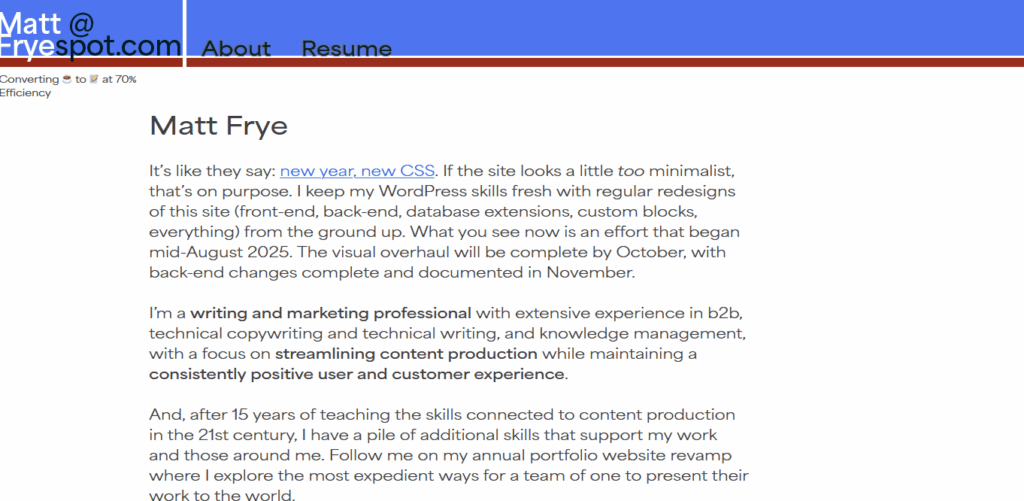
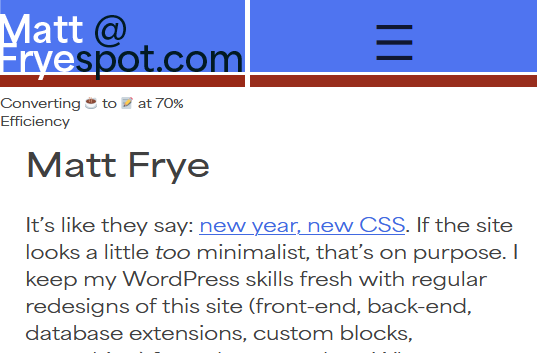
The base template generates DOM elements for the site title (Matt Frye), the tagline (Converting Coffee…), and a horizontal navbar.
Goal
I like simplicity for my own work. When I say “simplicity,” I don’t just mean minimalist, basic, or pedestrian. I mean “few components” or “no unnecessary complexity.” I don’t like ever-expanding menus (I’m talking to you, Salesforce). I don’t like DOM elements that move and resize as you are interacting with them. I really don’t like using Javascript to create and load front-end elements after the page loads.
Each of those designs are fun to watch and they can be engaging in media with low latency. For instance, I love the constantly unfolding menu in old Sid Meier’s games, but I hate when browser-based knockoffs try to replicate the same thing inside a container that isn’t optimized for that functionality. It’s a bad user experience, especially if I’m trying to drive my mouse toward a goal and a little bit of lag reads a mouseout and collapses everything.
So let’s go with something simple. Site title aligned left. Menu on the right. Let’s put that tagline in the space below the title and menu, but slide it out of view when the page scrolls down. (It’s a joke I came up with years ago working at an engineering company, and I like the honesty of it. If you’re wondering, the remaining 30% is lost to heat and noise.)
End Result
How does this look?
It could be better. That tagline is still awkwardly placed. I might drop it later on. I took this domain name back in 2010 when this site was a replacement for the Blackboard learning management system (#iykyk), and I’ve always struggled with a decent logo. I’m liking this new route of highlighting both my professional email address, my name, and the site name in one block that isn’t easily readable by bots.
Maybe most importantly, it is a simple, clean design. I have room for more menu items (one or two, if the titles are short), but I don’t know that I’ll them anytime soon.
Bonus!
Along the way, I did update some font definitions. I don’t like forcing a font download, but I really like the look of the Area font set, so you’re stuck with that additional resource while you browse here. If you block it, then we’re down to your default sans-serif and things aren’t going to look great.
In 2025, it seems like we all need to clearly state our stance on the role of AI in any creative, analytical, or administrative work. My direct statement is that I don’t endorse the use of AI tools to replace the expertise of readily-available humans.
But, there are some qualifications in that statement, so let’s unpack them.
AI tools or Chat GPT?
First off, what are AI tools and how are they different from Chat GPT, Copilot, Bard, and similar “general purpose” AI tools.
Machine learning and artificial intelligence are legitimate tools that can perform narrowly-defined tasks with pretty good accuracy, especially if they are carefully trained for the task they are applied to. In image processing, facial recognition algorithms are good enough to accurately apply silly masks and filters on video chat apps. In data processing, algorithms can perform multiple regressions and ANOVAs on huge data sets, find patterns, and find best-fit curves. In text generation, … well, auto-correct and text suggestions can accurately predict what word or phrase I want to use about 25% of the ducking time.
An AI- or ML-based tool is exactly that: a tool. And, just like a hammer is a tool that excels at the task it was designed for and fails miserably at other task types, general-purpose and generative AIs have a tendency to fail spectacularly when they are asked to do something other than very general content generation.
What about prompt engineering?
I’ve worked with some people who are great at developing complex prompts that cause an AI tool to deliver the type of content they need for a task.
That is a human expertise. That expertise has value.
I can prompt stable diffusion to generate images that serve my non-commercial, non-professional needs. I can prompt Chat GPT to create something more usable than lorem ipsum. But, I do not have that degree of prompt engineering expertise for the same reason that I can’t design a web app in C#—I have chosen to develop different expertises.
Why is expertise important?
In paid and organic marketing, AI companies and consultants present the tool as a replacement for some human expertise. Often, it’s in other language, like
Use AI to write your website [implied: instead of hiring writers, a developer, a graphic designer, etc.]
Use AI to write your emails [implied: instead of spending that time yourself]
Use AI to plan your next event [implied: instead of working with a planner]
Use AI to invest in crypto [implied: instead of watching my other YouTube videos about doing it yourself]
At every turn, AI is used to reduce time spent on other tasks. But, let’s unpack that sales pitch: whose time?
When I see other professionals using Chat GPT to write their emails (especially cold-call sales emails), they are reducing the time spent applying their sales and communication expertise to solve a problem.
When I see other professionals using Copilot to write SEO content titles, they are reducing the time spent applying their SEO writing expertise to solve a problem.
When developers and software engineers show me products made entirely with AI, they have reduced the time spent applying their programming expertise to solve a problem.
That’s bad under two conditions: first, if you believe that human creativity and expertise is always better than what machines can produce; second, if you have farmed out a task that the AI was not designed for.
Am I a Luddite? Is human creativity always better?
No, I don’t believe human creativity is always better. Copilot recently suggested a better sql database design than I would have come up with in my first two or three rounds of planning. Granted, my skill at sql is limited to building and maintaining WordPress plugins, so it could adequately replace my expertise.
And that’s the ideal use-case. The worst case scenario of AI getting that question wrong was that I would have an inefficient but functional database design. That’s the specific problem I was trying to avoid by asking Copilot, but it’s also the minimum outcome I could produce on my own.
Wrong function, go to 10
If I had zero sql skill and I asked Copilot to give me an answer I couldn’t evaluate, I might end up with broken code or a template design that I couldn’t adapt to my own needs.
This is where AI fails in content generation. As a writer and multimedia content creator, I think about every part of the user experience in the material I create. I consider the subject lines of emails: at what point will the text be truncated or cut off on different email platforms? Am I OK with mobile users getting text cut off at a different point than browser users? I also consider how the text of social media posts will land horizontally in the post frame, whether that might create a distracting pattern.
Basically, I think about a variety of user experiences to everything I create. Absent very specific prompting patterns (including prompting for multiple outputs which must then be evaluated by someone else), AI tools are not designed to or capable of doing the same. Some claim to be capable of that for a steep fee, but if your team lacks the expertise to evaluate what the AI produces, is the cost worth it?
Why emphasize human expertise?
Ultimately, I emphasize the importance of human expertise for one very specific reason: you can ask a human to explain their reasoning and process behind something they produce. By extension, you can ask a human to train you or someone else in creating and evaluating that same type of work. You can investigate that human’s credentials to make sure they have the expertise necessary to do those things.
AI and ML algorithms are built from mountains of data. Even if we want to make the argument that education and experience are just a mountain of data, a human’s data has typically been evaluated by yet another expert. The most popular AI tool out there, Chat GPT, uses a mountain of data that unevaluated at best and poorly constructed at worst.
Humans are accountable, humans are culpable. Humans can be questioned. Humans respond to input. Truly well-imagined, narrowly-designed AI can do some of these things, but the effort necessary to create, vet, market, and learn those tools is typically greater than just finding a human capable of the same task.
tl;dr: Boxed Cake Mixes
Ever since Chat GPT was released to the public and stable diffusion became available for download, I have thought of AI tools like boxed cake mix. Feed it the right ingredients, wait a little bit, and you get the output it claims you get. Feed it slightly different ingredients (more eggs, a different milk, different pan shape), get a slightly different output.
Brioche bread has very similar ingredients to cake, just differing in amounts. Getting boxed cake mix to produce bread is exceedingly difficult, but it’s possible if you fully understand what’s in the mix and what’s necessary to force it to behave like bread dough. If you don’t have enough flour to make bread dough but you’ve got a box of white cake mix, then it can sort of work in a pinch.
So, I don’t endorse the use of AI tools to replace the expertise of readily-available humans. I don’t endorse it to do anything other than the narrow task that it was designed to do, whether that’s finding patterns in data or imagining common sentence constructions. If no humans are available, then AI can fill the gap temporarily, but we need to be honest about what expertise we are giving up when we start typing out prompts.
I’m working for a company that recently split into a few separate bodies. As part of the split, each group took a copy of duplicable marketing materials. The set I’m working with most right now are email and landing page templates from our customer relationship management (CRM) software.
And. wow.
I was told initially that the company split because it was getting to be too complex, and that definitely feels true looking at these materials. The food science side and the environmental science side, for instance, produced very different materials for very different audiences. But, the split was also recent enough that I’m combing through old materials to find models for what I’m supposed to produce. Writing my first few emails and creating my first landing page here took a lot longer than it should have because I didn’t have a solid starting point aside from a plethora of examples.
Examples vs. Templates. Copy/Paste vs. Fill-in-the-Blank.
As a copywriter in other settings, I’ve gotten into intense discussions about the value of templates. Essentially, the debate comes down to an issue of creative freedom. Some see templates as an unnecessary constraint, a “paint by numbers” sort of approach to creating material that removes a lot of the content creator’s skill from the equation. Others (like me) see templates as an enormous boost to creativity: by making some hard limits or expectations explicit, a template shows where the most creative potential is in a document.
SHAQUILLE O’NEAL TEAMS UP WITH OREO AND MILK FOR ICONIC “GOT MILK?(R)” AD CAMPAIGN. (PRNewsFoto/Kraft Foods Inc.)
I mean, consider the old “Got Milk” ads. That is the power of a template. The only requirements for those ads are the phrase “got milk?” (all lowercase), a milk mustache on the model, and a short paragraph explaining why they drink milk. That’s it. The ad can go in any direction it wants to from there.
It’s instantly recognizable, but different ads played with themes of humor, family, friendship, manliness, sex… The template gives a lot of flexibility and amplifies the message through repetition.
Would the campaign have been anywhere near as powerful if creators could go with whatever made an individual piece strong? Or, if the phrase “got milk” was required but the mustache wasn’t (or vice versa)?
I love templates. I think they cut out a lot of unnecessary mental work in creating new material, and they increase the impact of a repeated message. That said, there’s a right way and a wrong way to do templates.
Find an example, copy/paste, and then replace what you need to?
When I first moved from academia to industry, I was given a “template” for my first project: an email promoting a piece of content. The template was another email for a different piece of content. That email had performed well, so folks were just sort of opening that Word doc, saving it with a new file name, then replacing text as they went to describe whatever they were promoting.
In a classroom, I’d describe this sort of like building a house by first moving a house onto some land, then replacing the whole building wall by wall until you got the floorplan you wanted.
There are times when this approach works! Tour any new subdivision and you’ll see dozens of houses that are just minor variations on a single design. That method gets the job done, provided the end-user doesn’t have some specific needs out of their floorplan. In marketing materials, it works as long as the functions of the old and new document are very similar.
Like, sometimes I want to promote a webinar or a podcast or a video of some kind, and I know that my target audience is going to click that link once it’s given to them. (You know, the die-hard audience that’s actually sitting there, waiting for the next podcast episode, regardless of its specific subject.) In that case, sure. Copy, paste, replace a title, done.
But what if I’m promoting a technical paper or a white paper on a wildly different subject from the original? What if the webinar I’m promoting is meant to reach a wider audience than just the die hard fans? Essentially, what if there are enough differences between the audience, the message, and the collateral being promoted that moving some walls in my floorplan won’t get me the result (a basement, a shop, an additional bedroom…) that I need?
In that case, a template really is the answer.
What is in a good template?
This probably needs a longer discussion specifically on the subject, but in a nutshell, a good template contains guard-rails only. It tells the creator what boundaries cannot be violated and the rationale for them. I’m a big fan of Word templates with comments or macro-generated content explaining these things, but I’m also a fan of content management systems with editing tools already designed with these things in mind.
So, for instance, before I left my last job, I made a boatload of templates for the most common projects we did. That simple email template went from being a copy/paste job of a high-performing example to being a series of prompts for content.
Subject Line: Maximum X words or Y characters gets best performance
Email heading: Maximum X characters (keep it between 1-1.5 lines of text)
Body: Best CTR is between X and Y words
CTA: X sentence structure and max Y words
The specifics were more detailed than that list, but you get the idea. Instead of saying “here’s an email that worked well” (which was two short paragraphs), the template says “here’s the rule and the rationale.” Did we break those rules sometimes? Yes, but only the ones that we knew had some wiggle room. An email’s body could be double our normal length if it met certain, known criteria.
The result? Emails became super easy to write and our open and CTR rates went up. It wasn’t a “paint by numbers” approach, but it did highlight where our creative muscle could have the most impact.
Be more general?
Now, when I sit down for a new project, my first task is to see if I’ve already made a template at this job. Most of the time, I haven’t. That is the first thing I do.
Some templates are very literal template documents. I’ve made a dozen or so Email Templates and Landing Page Templates in Pardot, all generalizing from existing examples and using Pardot Regions to prompt for specific rhetorical moves or blocks of text. Rather than expect that I’ll continue to remember why an event landing page has a bulleted list in the middle, I am telling myself that there need to be bullets that accomplish a specific goal—if I don’t have the kind of content that accomplishes that goal, then the bullets get deleted so I don’t waste screen space on unnecessary content.
Some templates are just my own personal drafting scheme. I make Word styles and macros to block out chunks of text in accepted patterns. For instance, when creating a webpage, the “hero zone” (not something I worry about much on this blog) has a set of components that every company does in their own way. So, my Word documents for creating webpages have a macro that generates prompts and guidelines to ensure that I follow existing practices. I don’t have to consult current webpages to remember how to structure that space and waste time remembering each component—instead, I get to spend my mental energy on creating a solid page title, a compelling tagline, an SEO-friendly intro block, and other materials that matter more than remembering whether the preheader comes before or after the “contact us” button.
About 20 years ago, I made a website with the free hosting service Angelfire for a class project. It wasn’t my first HTML project, but it was the first time the scope went beyond AOL Instant Messenger away message formatting.
Writing that paragraph, by the way, made me feel super old.
The challenge to webwork back then was that everything was hand-coded. You wanted to write a paragraph? Well
<p>Make sure to wrap it in a < p > tag or else your text won't wrap.</p>
If you wanted any of that text to be bold, you had better make sure to put a <b> tag in there. Need your page background to be something other than white? While, that <body> tag is going to need some style declarations.
It was a pain in the butt, and I was glad those days were over. I like to get under the hood every now and then, but if I’m writing HTML, it’s because it’s an output of some javascript or php.
Anyway, fast forward to this week, and I find myself writing this
That’s part of a Pardot landing page. Creating a landing page template in Pardot is a good idea, and it’s something I would have taught my students to do if my classes ever had the time to get into CRM tools. But, creating a template is basically an HTML-only job. There are no page builders or other resources, and it is a ton of fun.
I mean, I’m building this landing page template for a single job right now: a page promoting the company’s booth at an event later this year. But, I hate doing more work than I need to, and creating a fresh page for every event would be mind-numbingly awful. There’s too much room for error, and if I find myself simply copy/pasting what worked in the past and adjusting a few bits of text, then I might as well have a template.
I see enough of these events coming in the future that it’s worth getting the design right the first time.
Templates and Learning
But Matt, you say, “pardot-region” isn’t a standard DOM object property.
That’s right. It’s part of the internal Pardot logic. Pardot supports {{handlebar notation}} for functions, and I’m wondering if I can use those to template out template components. That would really make things easier over time. For now, I’m stuck hand coding everything again and—while it is fun and it’s bringing back warm memories—that’s taking some time.
There is a benefit to hand-coding it, though. I’m new enough to the company that I need to learn a lot of style and branding standards: what colors do we use for different contexts and elements, how should web pages look, do we have standards for different text lengths or formatting, etc.
Back in my teaching days, I’d often teach template writing first in a course where document design and structure was a focus. Before we ever touched content creation, we dealt with the form the content would take. It forced students to explicate every rule they will need to follow when creating a document, which made it a lot easier to offer revision advice when they didn’t format things correctly.
“You said an equation in an IEEE paper has to be formatted following these rules. Your equation looks different. Why?”
I’m feeling the same benefit now. Many communications from METER begin with a bold clause, then transition to that grey, unbold text style. The Pardot region for text doesn’t allow formatting, though, so I can’t wing it whenever I have to fill in a template. I’ve had to define every rule, accounting for every possible bit of formatting I might want in the future, and I’ve had to think ahead to how large text blocks or images might be when they hit the page, since some of the layout rules assume elements of a specific width or maximum height.
I’ve used professional grade tools like MailChimp and simpler tools like phpList. As a Marketing Writer at SEL, I wrote email content and had some input on marketing email and engagement campaigns run through Salesforce Pardot. This week, I started leading Pardot activity as part of my campaign manager role at METER.
Email Management
Pardot, like other email management, marketing automation, and CRM tools, is just a software that streamlines marketing communication processes. It has tools to manage landing pages, emails, forms, and other content. As someone who used to teach professional writing classes, there are a few email related things I’m focused on as part of this new role.
Scheduling and sending emails
Managing recipient lists and audiences
Creating email templates
Tracking engagement and responses
I have some starting goals to increase list sizes, and as I’m learning how Pardot has been used in this group, I’m setting some personal goals related to templates.
Inside vs. Outside
From the outside, Pardot seemed pretty simple. I compared the analytics we had on email performance to the construction of emails to identify textual features that tended to perform better. So, it wasn’t just about email length, it was about the rhetorical moves taking place.
From the inside, I’m getting to see a little more complexity. I can set A/B test parameters, and I can get some finer-grained segmentation of how a message performed with its audience. It’s similar to MailChimp and phpList.
At the moment, the most daunting aspect of Pardot is learning how it’s been used in the past in this context. It’s one thing to start an email program fresh, and it’s an entirely different task to pick one up that’s developed over several years.
Rhetorical Concerns
So, as a former professional writing teacher, where would I focus for someone learning this tool?
Sending and Scheduling
Setting a send time for emails isn’t very complicated. It’s the last step of the construction process, and I literally choose between two buttons: send now or schedule now. If I schedule it, then I can pick a date and time for the emails to begin rolling out. They don’t all send in one burst, so I’ll be looking to see how long it takes for them to trickle out and whether or not time of day or day of week matter to these audiences.
In a classroom, I’d ask students to pay close attention to kairos and the reader’s likely mindset when they encounter a message. Do I want to be in the batch of emails someone sees when they get to the office on Monday morning? Do I want to catch them before they head out the door on Friday afternoon? Somewhere in the middle?
Granted, the purpose behind an email impacts this as well. If I’m offering a webinar, a tutorial, or some other free learning resource, maybe that’s a good Monday morning thing to help someone ease into their week. If I’m promoting a product, that’s unlikely to be met with the same level of interest as the week starts.
Audience Management
Audiences and lists are another difficult task to manage, so I’m learning how to implement dynamic lists to simplify these things. While Pardot lets me create audience lists according to people who have interacted with specific emails or clicked specific links, that’s not entirely helpful. I don’t always want to consider who went to the mall on Monday, January 1, on Monday, January 8, on Monday, January 15… I want to know who goes to the mall on Mondays. Or, I want to know who is interested in webinars on a specific set of subjects, or who watches webinars as soon as they are available versus on a set schedule.
Researchers and scientists make up a large part of my audience. I also want to know who is watching a webinar multiple times, maybe on regular enough schedule to suggest that they’re showing it to a class or training new graduate students and assistants.
In a classroom, I’d ask students to consider this same point as an audience awareness task. Rhetoricians throughout history have tried to create systems for understanding audiences and responding to their needs. In the last few centuries of written task and asynchronous communication, this problem has become more complex. I am not speaking to an audience that will provide verbal and nonverbal responses to my message, allowing me to calibrate it in real time. All I get is a notification whether someone opened the email, clicked the email, or unsubscribed from the list, so these tools require me to understand my audience extremely well before I craft the message.
Templates
This is less of a rhetorical issue than a communication efficiency and error reduction issue. Email templates are great for ensuring that all of the necessary components are included in every message: unsubscribe links, branding, contact information, etc.
They are also useful for people who know they will receive regular communication from some source. If I know that emails with some subject line structure or some visual structure of the content tend to be for a specific purpose, then I can make it easier for my audience to take the action I want them to. The more time someone has to spend figuring out whether an email is here to sell them something or give them something, the more opportunity they have to close it and come back later (or never).
As a reader, I know I appreciate templated marketing emails for exactly this reason.
Engagement Tracking
This final piece is what I’m really excited about.
I spent a lot of time doing corpus analysis of large sets of text, both as a graduate student and as a faculty member. Now, I can compare marketing text and engagement metrics (view, click, unsubscribe) more directly and fine tune things as a result. I can also align this effort with the points above: do textual features succeed better at specific times, with specific audiences, or in specific visual structures? Do some textual features generally succeed more often than others?
This post is more questions than answers, but it’s where I’m starting the year. I’ve got a few weeks before I can start pulling data in response to my work, but old content is ready for more analysis. Fun week ahead!
Earlier today, I was writing about a product that has a pretty neat feature: line monitoring. Basically, every time something small happens to a power line (a tree branch brushes against it, lightning strikes it, a squirrel, uh, makes an unfortunate choice), a device makes a note and tries to figure out where that thing happened. After enough of them happen, the device alerts someone that something seems to be wrong at that location.
It’s pretty rad if you’ve got a power line that stretches for hundreds of miles and a single tree branch could potentially start a fire. Or, even if it doesn’t start a fire, some intermittent hazard might eventually cause a permanent problem that shuts down the power line.
The benefit comes from your ability to now send a maintenance crew out to a specific location, rather than ask them to patrol the entire line looking for the issue. (And, just from some pictures I’ve seen, a patrol can involve climbing up every tower to look for the tiniest scorch marks from an electrical arc.)
But, I kept misspelling it: line minotor.
And, I wonder: what is an automated line minotaur?
I know what a minotaur is. I’ve played enough D&D for that one.
I have a pretty good idea what happens when you automate a minotaur.
But what’s a line minotaur?
Spent way too long today trying to figure that out.
I don’t know how, but my work email has been signed up for a few mailing lists that I have no interest in.
Not that I mind. Part of my job is writing persuasive emails. I want to see what other folks are doing. See if there are any cool techniques I can borrow. See if there are any, uh, pitfalls I might avoid.
Speaking of things to avoid…
This is a spam/quarantine report I get every day. I can’t adjust the size of the columns in that table. I get an invitation to this webinar at least once a week. I giggle every time.
People who suck the life out of your organ.
I’d call HR to report that, but… well, look at the domain.
This isn’t an uncommon problem in emails. I keep every unfortunate truncation I run across. Ages ago, when I was a teaching at WSU, I opened my phone before running a workshop at a conference (one focused on assessment strategies with short feedback loops to improve teaching) to see an email from the graduate school informing me that
Matthew, you are the reason they suc...
Where “suck the life out of your organ” makes me giggle once a week, this one really stung. I was involved in a lot of discussions about whether teaching strategies in writing classes were working.
How do we read truncation?
The big question is whether it really matters. Clearly, the webinarshr email is about people who suck the life out of your organization. The WSU Graduate School was telling me I was the reason they succeed. It’s obvious within a second of reading.
But what about that fraction of a second where your reader is trying to figure out which word completes the sentence?
Fans of the Penn & Teller show Bullshit will recall an episode about anger management, where a psychologist did a simple experiment on angry and calm people. The method was pretty straightforward: the angry group beat up a stuffed animal or a dummy to “get their anger out” before being asked to do a simple word-completion exercise. The calm group “hugged out” their feelings with the stuffed animal before the same word-completion exercise.
The result? Angry people would complete something like h_t as hit, while calm people completed it as hat. Other blanks would get similar violent words from angry people and similar neutral words from calm people.
I’d love to provide a clip here, but YouTube is coming up empty. But, know that this area of research is alive and well. Emotion really does impact the way we focus on specific words and ideas.
Which brings us to truncation: the shortening of a word or phrase by stopping it at some predetermined point. Email clients will truncate subject lines at a certain number of characters or words, hence organ… and suc… in the examples above.
A reader’s emotional state will impact the attention they give your subject line.
Dealing with truncation
There are plenty of good, informal rules to follow when it comes to subject line length.
8-10 words is a good number to shoot for, since that’s a short sentence and plenty to get the main idea across.
70 characters is one truncation point for a meta description, the short description that search engines show below the links in your search results, and that’s another good boundary to respect.
A single, unpunctuated clause may also be a useful frame.
Ultimately, these all come out to roughly the same length. When I am writing emails, I tend to check these three items in reverse order: is it a simple clause? Is it 70 characters or less? Is it under 10 words? If it checks all of those boxes, then it’s unlikely to get truncated.
But, an untruncated subject line isn’t necessarily a good one, it’s just the one that has the best odds of succeeding.
Look, I don’t feel good including that self-checkout meme here, so let’s get it out of the way.
I’m still seeing lots of ads and think pieces and social media posts and podcasts and all kinds of content about AI and jobs. Specifically, AI and my job.
AI is coming for me! It’s going to put me out of work! I’d better just pick up a Machine Learning certification and become a technician!
AI is terrible! It can’t get anything right! It’s making stuff up instead of providing actual facts! Conversation partners are not search engines, have you even seen Cheers?
I wrote some blog posts about ChatGPT a while back on the subject. The gist is that I really couldn’t get it to produce content that was up to my own standard, nor could I get it to produce material coming close to something I’d published about a year before, even with extensive prompting.
I tried working with it more to see if there was some other utility to it, but it was really just a sounding board. It came up with the same kinds of prewriting ideas I would come up with, but it did it quickly, so maybe there was some benefit.
In the end, I was looking at it entirely wrong. Should businesses adopt AI writing tools instead of hiring writers? If you’re reading this looking for the answer, then I hate to say it, but you already know. If you’re here looking for a writer to tell you that you can’t trust AI to write for you, then that’s the case. On the other hand, if you want a writer to say that AI can be trained or used effectively to create good writing, that’s also true.
I’m not being wishy washy. I’m just remembering one of the core rhetorical principles Aristotle taught folks 2500 years ago.
Finding Available Means of Persuasion
Aristotle defined rhetoric as a thing with three components.
Its purpose was persuasion, getting an audience to think or believe a thing. It wasn’t malicious persuasion. A rhetorician wasn’t there to convince you the Earth was flat. A rhetorician’s goal was to get a concept from their mind into yours, fully intact, without you rejecting it. When I convince my daughter to put on a coat on a snowy morning, I’m using rhetorical principles to persuade her to believe that it is, in fact, cold enough to warrant another layer of clothing.
It used the available evidence to support claims and arguments. You can’t fabricate information to convince an audience. That’s lying. When your audience realizes you’re lying, they’ll stop believing you and your persuasion fails.
And, the method of gathering that evidence is finding. A rhetorician doesn’t have all of the information ready to go when it’s needed. We need to do some thought to figure out which lines of argument and which kinds of data will resonate with our audience.
Back to the coat thing: if I tell my daughter there is snow on the ground, she will grab a parka. If I tell her it’s 15 degrees outside, she’ll say “that doesn’t sound cold” and head outside (before rushing back in to grab a coat). One time I told her it was negative ten degrees. She told me that’s a made up number and there’s no such thing as negatives. (She’s in elementary school. They haven’t gotten that far in math.)
Why am I telling you this on a post about AI?
Generative AI and predictive AI each lack at least one of these features.
Generative AI cannot find evidence. That’s just not in the program. It can create text in response to a prompt, and that text can sound pretty convincing if you craft your prompt really well. But, that’s the end of it. If I told ChatGPT “convince my daughter to put on a coat before school,” this is what it would say.
Yeah. She’s going to stand and listen to that.
Seven barely related lines of argument. One or two might work, but ChatGPT is throwing spaghetti at the wall.
Hey, just for fun…
Ten arguments instead of seven. Some are the same argument with a different lead-in phrase. Again, some of those are going to convince me, but I really don’t care about the versatility or professional image aspect. ChatGPT threw spaghetti at the wall and lucked out with a few strands, but it missed a very important part of persuasion.
It didn’t care about my or my daughter’s attention span.
Directing Attention
Hands down, one of my favorite rhetorical tools to teach was directing attention. The basic idea is that a writer/speaker gets to set the reader’s/audience’s attention on a thing by identifying and describing it first, which ends up framing the rest of the conversation. You can see it at the beginning of each list item, where the same idea gets a different frame. Item #1 sells the same basic idea, but it puts the focus on either coziness (for a 10-year-old girl) or protection (for a mid-30s man).
In this case, the AI does a poor job directing attention both times. The initial response is to let me tell you why a coat is a good idea. The speaker here claims all of the knowledge, and I’ve just got to be ready to receive it.
The frame works, sometimes. Let me tell you why dual-energy CT scans are lower risk than single-energy CT. Let me tell you why worm casings are more effective fertilizer for this garden crop than bone meal. Let me tell you why some technical solution requiring advanced knowledge of a field is what you need.
But, we’re talking about a coat here. Infants are aware of the difference between cold and warm as well as the things that provide both cold and warmth. The AI isn’t offering anything special. If anything, it’s a little patronizing to set my attention on its expertise.
But that’s the catch! The individual lines of reasoning are pretty good. A coat is comfort (I like that) and protection (sounds manly!). Putting on a coat is quick and easy, something I really need on the way out the door in the morning. ChatGPT has given me some good copy here, but I need to sift out the chaff to find it.
Do I Use It?
ChatGPT and other AI writing bots are a lot like any other specialized tool. They can produce results, but using them uncritically probably won’t create great results. That’s not really a new observation. Plenty of other articles already claim ChatGPT is a specialized skill that job-seekers can claim.
But that’s not why you’ve read this far. The question is whether you can use it.
Use-case: Common Products, Common Knowledge
Are you selling coats to elementary school kids (or their parents)? AI is going to create generic language that looks a lot like other copy your audience will find online.
That’s not really bad. You’re probably trying to get folks’ attention first because the field is flooded with everyone selling very similar products at very similar costs. In this case, truly persuasive copy is less important than getting some content out there.
Use AI!
Use-case: Uncommon Products, Specialty Knowledge
Are you selling kids’ coats that are rated down to -20F? AI is still going to create generic language, but you might be able to force it to include some specific benefits you want (or maybe just revise its output yourself).
Generative AI creates text based on things that already exist. The more specialized your product or information is, the more you are going to have to write material yourself. But, for the really common parts (in the case of coats: weatherproof materials, dual-zip, hoods, etc.), it’ll stop you from reinventing the wheel.
Use AI, but prepare to revise!
Use-case: Boutique Products, Niche Knowledge
Are you selling ruggedized, battery-power thermal wraps for outdoor workers in arctic environments? Or, are you otherwise selling or offering something with a very narrow field of competitors?
Don’t use AI! Sure, it can make text quickly on just about any subject. With the right prompting, you can get it to explain how or when AI will take over the world. You can also get it to say it will never surpass humanity. It doesn’t know anything other than the most common combination of words in connection with different subjects.
If your subject is totally new or not well represented across the web, then there isn’t a common combination of words it can spit back at you.
Conclusion?
The more I use, read about, and talk about AI writing tools, the more I think about spell check. For more than thirty years, people have worried that spelling checkers (and their modern variant, auto-correct) are ruining kids’ spelling abilities. That spell-check and auto-correct are writing for us. But, we all know that’s not the case.
More importantly, over time, we’ve all learned when to trust these tools and when not to. We’ve learned when the tool can be really helpful, and when we shouldn’t give a flying duck what it tells us.
The same lessons need to be learned for AI over time. The tool is a great time-saver for some cases, and a terrible fit for others.